Big Tower Tiny Square Guide: Jumps, Traps and Checkpoints
Published · 3 min read
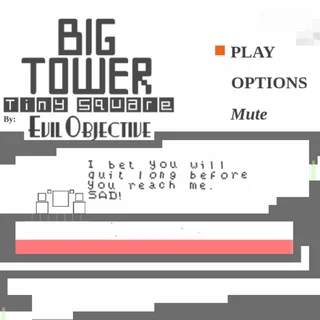
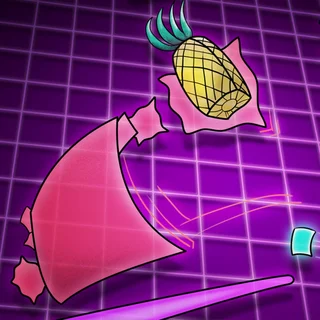
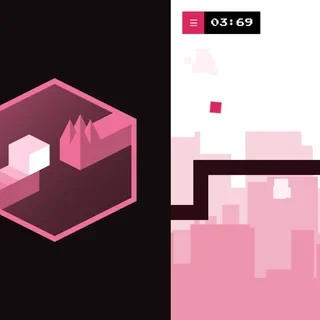
Big Tower Tiny Square looks simple: a black-and-white tower, a square the size of a few pixels and a Pineapple at the top. Then the first room with a moving saw kills you ten times in a row. This guide covers what the game actually asks of you, room type by room type, so the climb stays hard but stops feeling unfair.
First, the three jumps
Everything in the tower is built around how long you hold the jump key (W, Up or Space).
- The tap. A quick press gives a short hop, about one block. The game even tells you: "Tap JUMP to short hop. Hold JUMP to go higher!" Low corridors with spikes in the ceiling are designed for taps.
- The hold. Keep the key down and the jump goes higher. Use it for gaps and ledges, never in a low corridor.
- The wall-jump. Press jump while you touch a wall and you kick off it. In a vertical shaft, alternate left and right and jump each time you touch a side.
There is also a quick-jump trick for small gaps: the game's own hint is to press jump fast to hop through narrow corridors without touching the ceiling.
Moving without sliding
Tiny Square stops almost the moment you release A, D or an arrow key. That is good news on narrow ledges: let go of the direction first, then jump from a standstill. Most missed landings come from holding the direction too long and drifting past the edge.
What each colour does
- Red is lava. Any touch is a death. Some lava pools rise or flow, so watch them before you commit.
- Light blue is water. Press jump to swim upward. There is no air meter — the game tells you not to worry about holding your breath — so water rooms are about steering, not speed.
- Orange platforms are bumpers. They throw you upward, and the faster you run into them, the higher you go. A walk-on bounce is small; a running start is huge.
- Green beams are checkpoints. Crossing one makes it your new starting point.
Traps that repeat
Saws slide along rails, turrets fire along a line of sight, blocks drop and crush you when you pass underneath, and glass cracks and breaks after you stand on it. Almost all of these move in a loop. The best habit in the game is to stand at the checkpoint and watch one full cycle before you move. Then go on the beat, not in a panic.
Checkpoints, Y and saving
When you die, you come back at the last green beam. If you get stuck somewhere nothing can kill you — jammed in a corner after a bad wall-jump — press Y to return to that checkpoint. The game also saves on its own every 15 seconds, so closing the tab does not throw away your climb; next time you press PLAY you continue from your checkpoint. Options shows your deaths, jumps and time, and has an erase button if you want a clean run.
Listen to the other squares
The small squares you meet are Big Square's unhappy staff, and nearly all of them help you. Each one explains the move the next room needs. Near the top they start talking about switches. Take them seriously: what you press up there decides how the story ends, and one switch does something terrible to the Pineapple.
When a room will not give in
- Say the rhythm out loud: "hop, hop, hold, wall". Most rooms have one fixed sequence.
- Split the room in two and practise the half that kills you.
- Take a break. A fresh attempt after five minutes often beats twenty tired ones.
The tower is meant to be hard, and Big Square will keep telling you to give up. Every checkpoint you pass proves him wrong.
More from the blog
- Big Tower Tiny Square on a School Chromebook: Controls and Saves
The keys, the 15-second auto-save and where it is stored, what wipes it, and what to try when the game will not start.